Application forms
Ask what matters for each role.
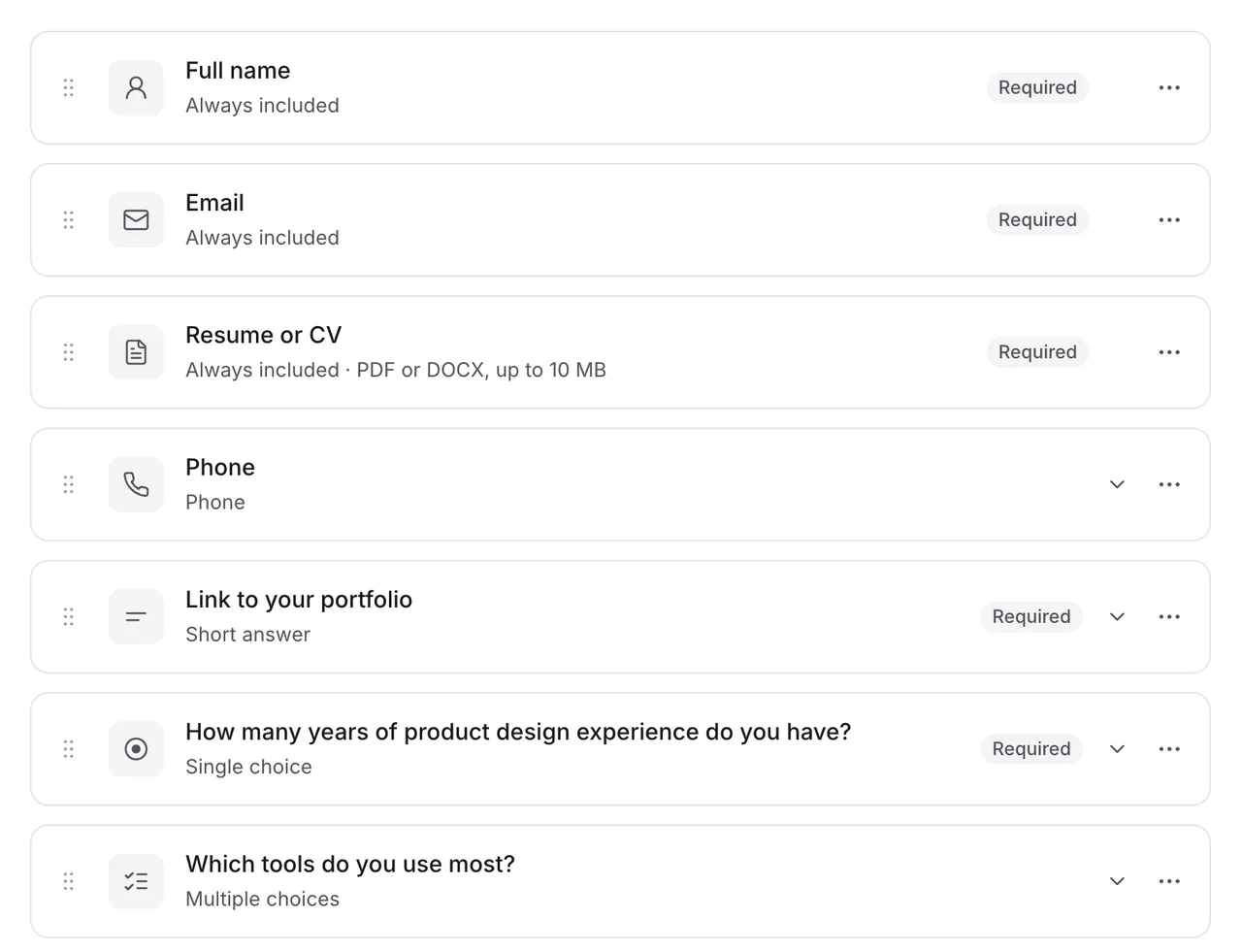
Build a form for every job with short and long answers, yes-or-no questions, choices, dropdowns, scales, and checkboxes, then drag them into the order you want.
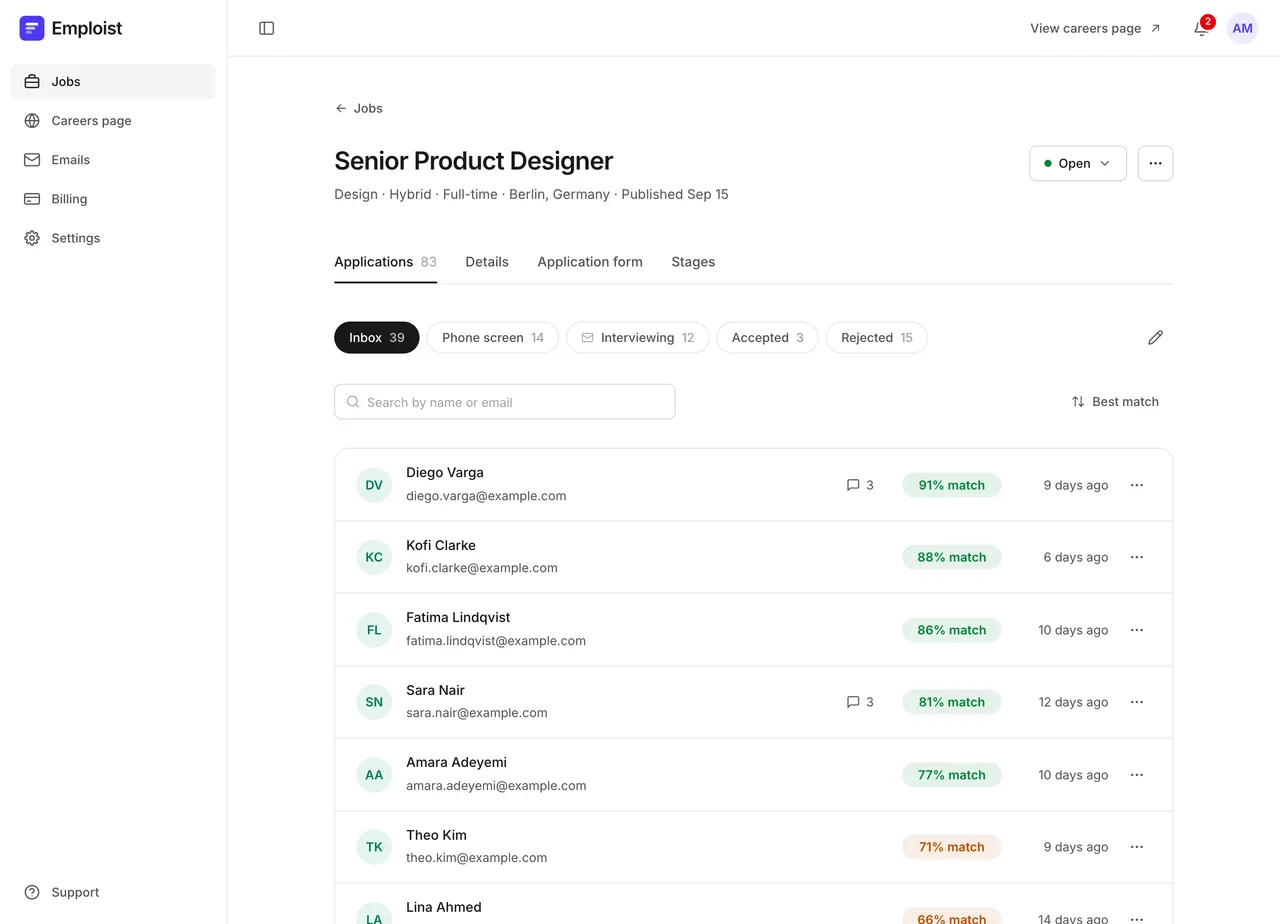
Applicant tracking, ranked by AI
Emploist gives you a careers page, a simple hiring pipeline, and AI that ranks every application against your job description. Your team spends less time sorting and more time with the people who fit.
14 days free, then $29 a month. No per-seat fees.
How it works
Write the description, choose the questions you want answered, and publish it to your careers page.
People find the job on your careers page and apply in a couple of minutes. No account needed.
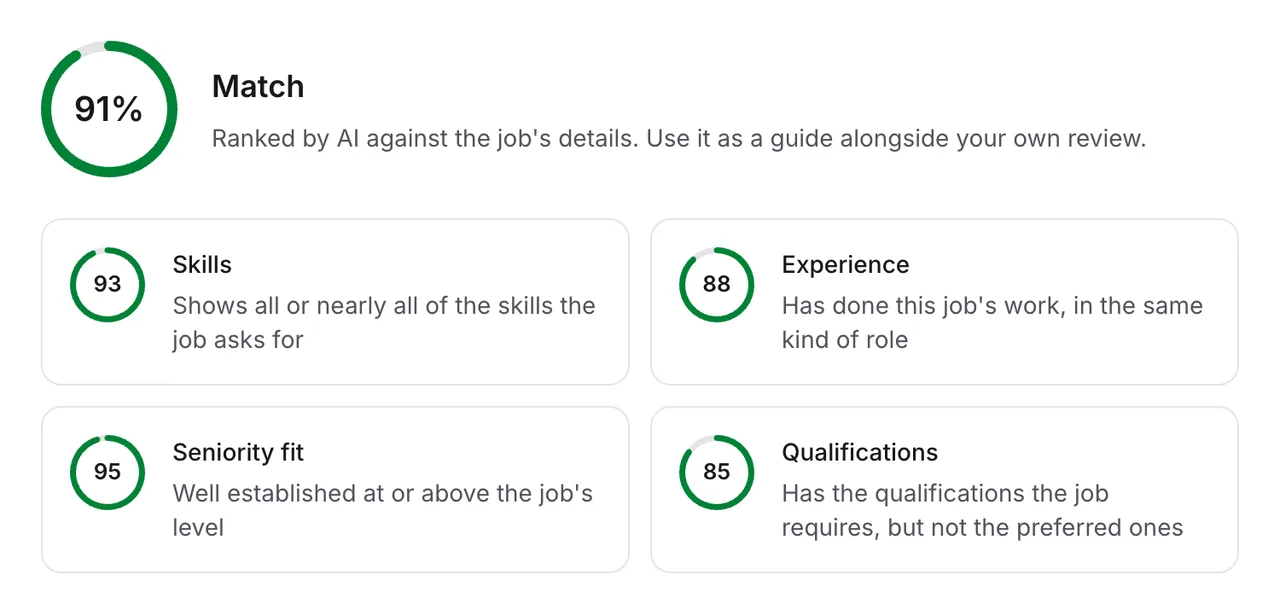
Each application gets a match score against the job, with a breakdown your team can read.
Review, comment, and move applicants through your stages. Emails go out at each step.
AI ranking
Every application is scored against the job as soon as it arrives. Instead of a mystery number, you see how each applicant measures up on the things that matter for the role.
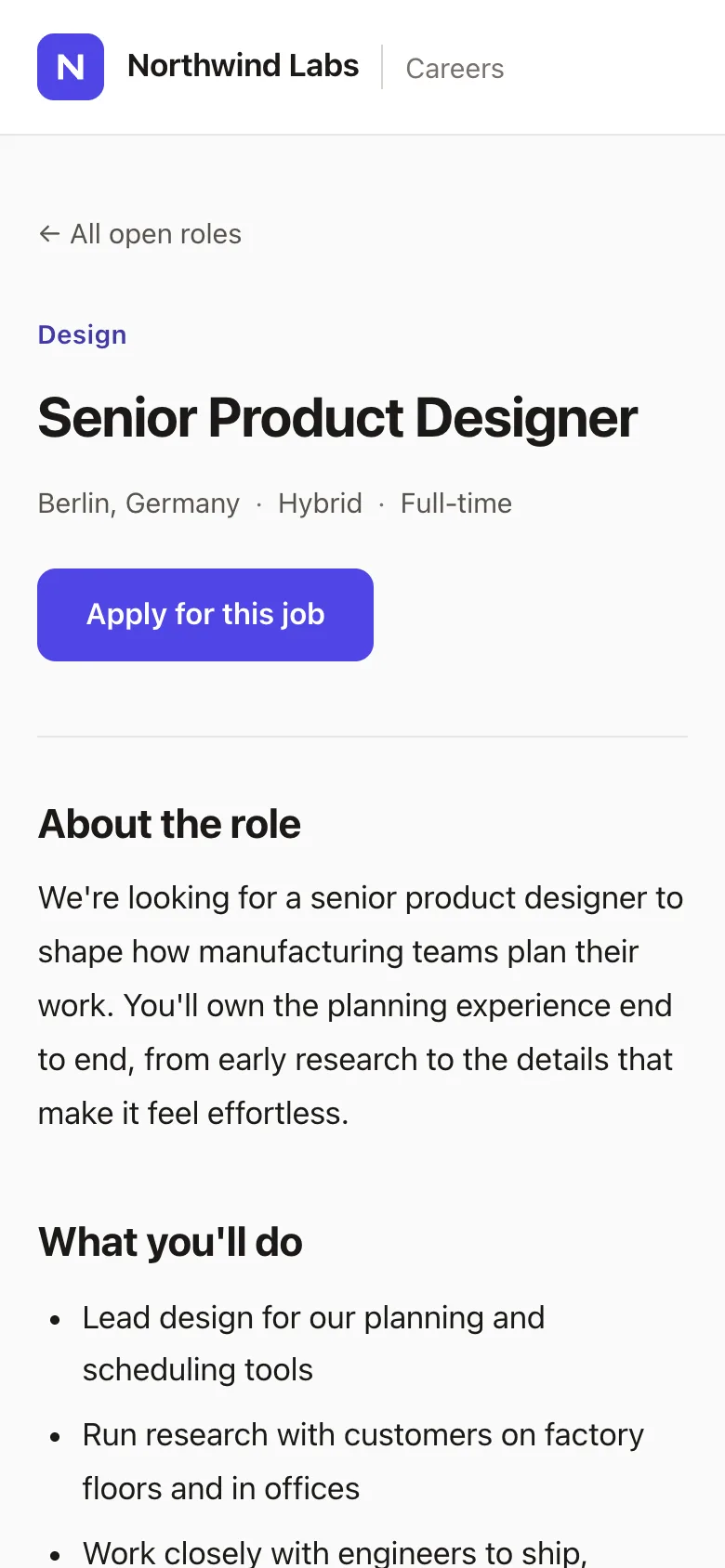
Careers page
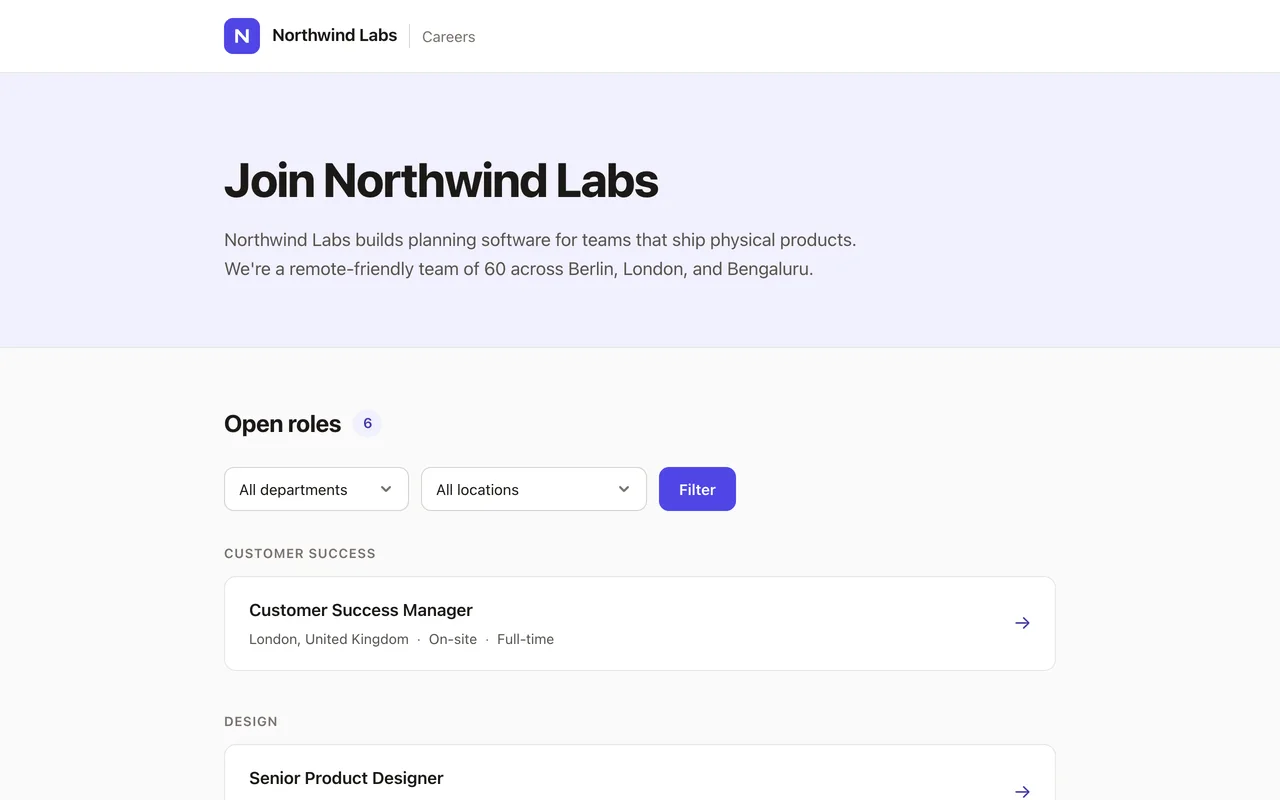
Every company gets a fast, polished careers page with its logo and color. New jobs show up the moment you publish them, and applications land straight in the job's inbox.
Design in code
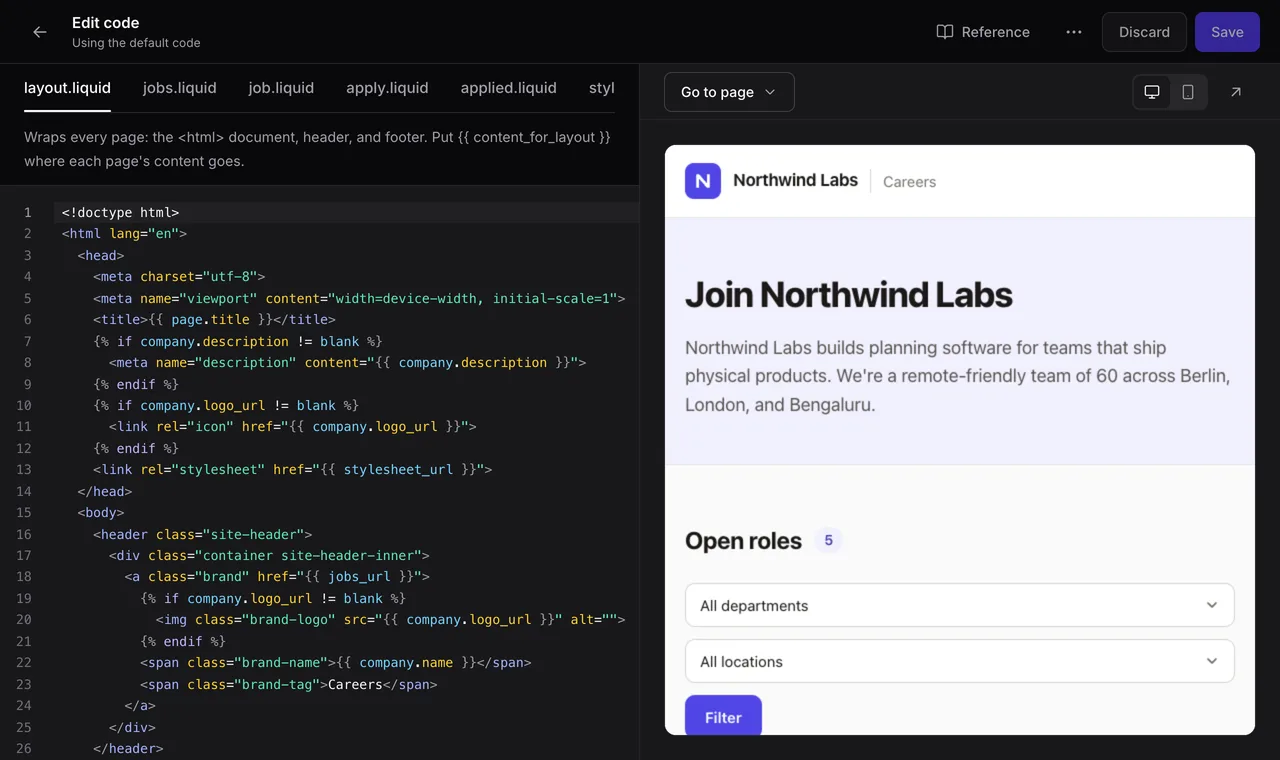
The default design looks good with just your logo and color. When you want more, every page of your careers site is HTML, CSS, and Liquid templates you can change.
Application forms
Build a form for every job with short and long answers, yes-or-no questions, choices, dropdowns, scales, and checkboxes, then drag them into the order you want.
Teamwork
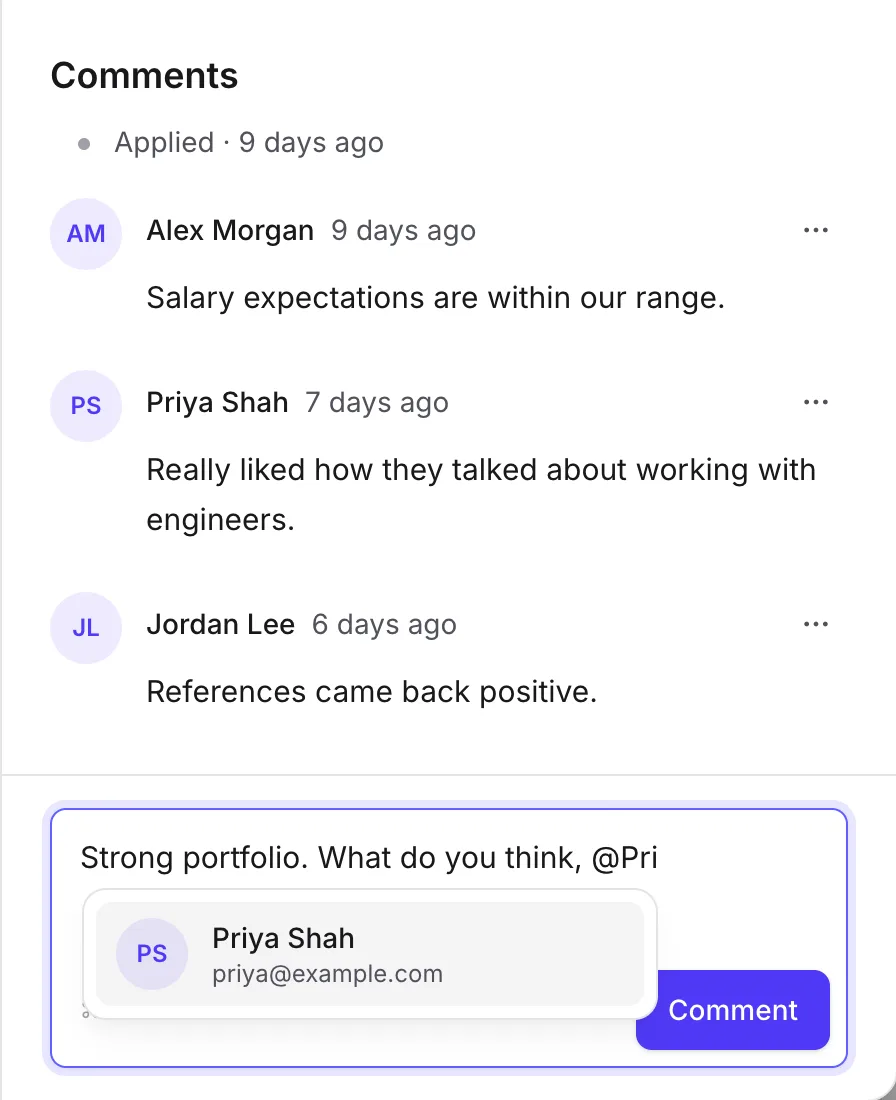
Comment on any application and @mention a teammate to get their take. Invite your whole team at no extra cost.
Stages and emails
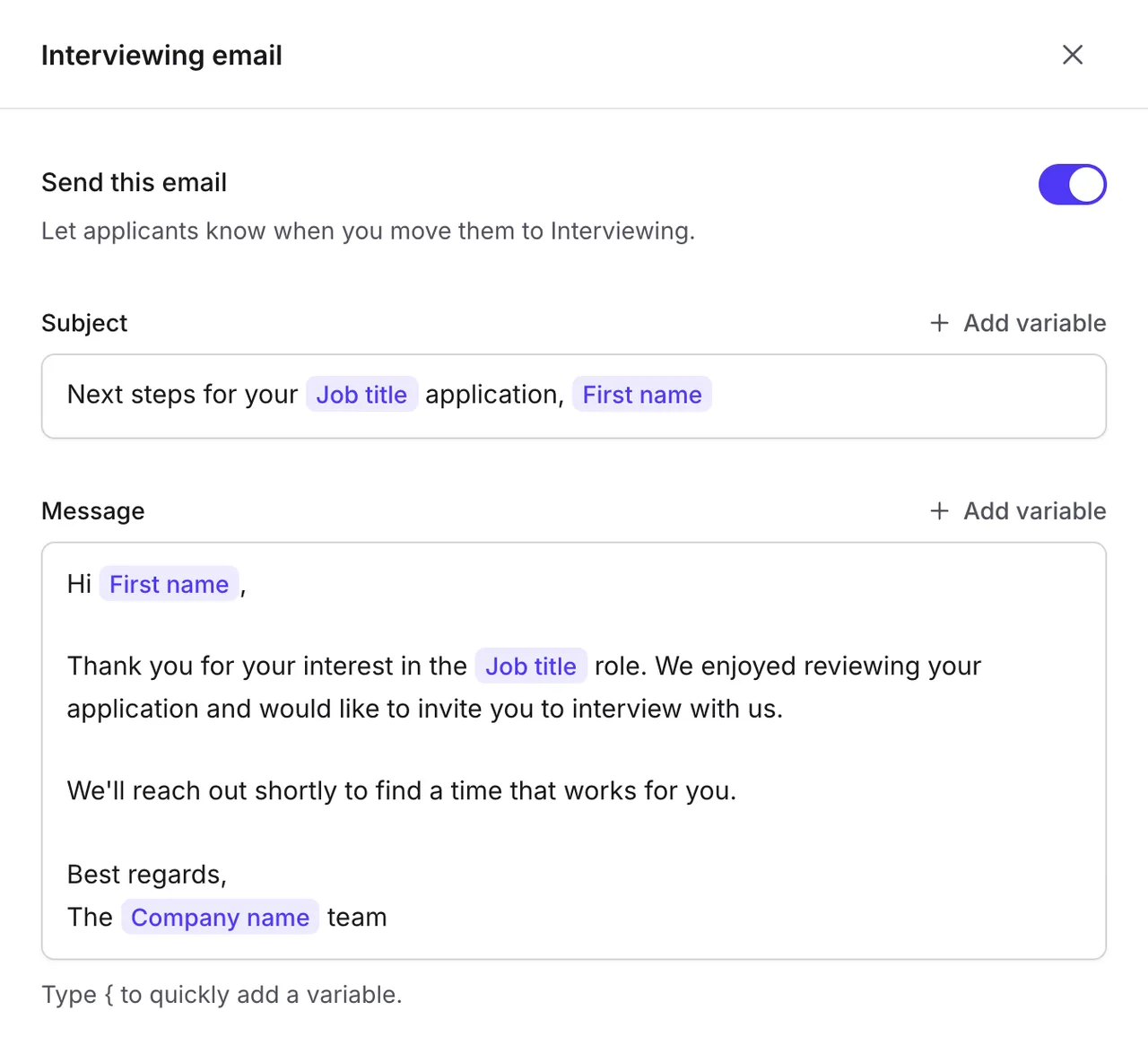
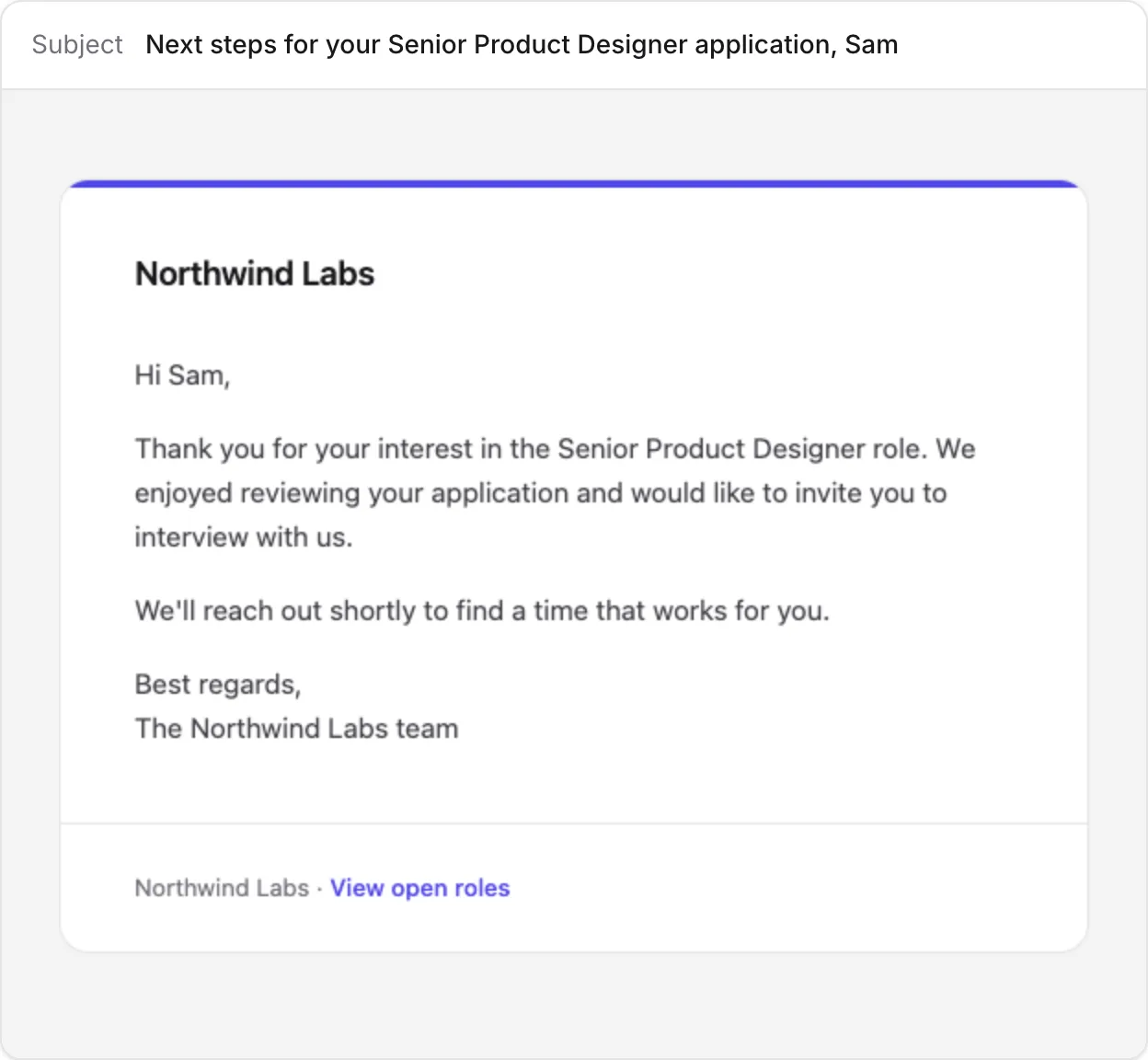
Every job has its own stages. Move an applicant to the next one, and that stage's email goes out on its own, written once and personal for everyone.
And more
Download a job's applications as a spreadsheet, with every resume in the same ZIP file.
PDF and Word resumes open inside Emploist, next to the application. Nothing to download.
Post as many jobs as you need, and find any of them in seconds with search and filters.
Hiring for a similar role? Copy a job's details, form, stages, and emails in one click.
Sign in with Google, Microsoft, or a one-time code sent to your email.
Resumes are stored privately, and only people on your team can open them.
Get notified when someone mentions you or replies on an application you've commented on.
Emploist follows your system's theme, or you can pick the one you like.
Pricing
No feature tiers and no per-seat fees. One monthly price covers your whole company, however many people you invite.
Ranking one application uses one credit. Your plan includes 1,000 every month, and you can top up anytime.
$29a month
Plus tax where it applies.
The free trial gives you 14 days and 100 AI credits to try everything. You won't be charged until it ends, and you can cancel anytime.
Buy a pack whenever you like. Packs never expire.
| Credits | Price |
|---|---|
| 1,000 credits | $9 |
| 5,000 credits | $39 |
| 10,000 credits | $69 |
FAQ
Can't find what you're looking for? Email us at support@emploist.com and we'll get back to you.
You get 14 days with every feature and 100 AI credits to try it on real applications. You won't be charged until the trial ends, and you can cancel anytime before then.
Ranking one application uses one credit. Your plan includes 1,000 credits every month. If you need more, packs start at 1,000 credits for $9, and they never expire.
Nothing is lost. Applications keep coming in, and you can buy more credits at any time to rank them.
It reads each resume and the answers to your questions, and compares them with the job you posted. Skills, experience, seniority fit, and qualifications are each scored, then combined into one match, so you can see why someone ranks where they do.
Yes. An admin can turn AI features on or off for your whole company in Settings.
Yes. Your careers page starts at yourcompany.emploist.com, and you can connect a domain like careers.yourcompany.com in a few steps, with HTTPS included.
No. Candidates fill in the form on your careers page and attach their resume. It takes a couple of minutes.
Everyone you invite, at no extra cost. Admins also manage billing, the careers page, and company settings.
Yes. Export any job's applications as a spreadsheet of every application and answer, along with each resume.
Yes. Cancel whenever you like, and your plan keeps working until the end of the period you've paid for. You can still see and export everything afterwards.
Try Emploist free for 14 days. Setup takes a few minutes, and your careers page is ready as soon as you are.